Your one Android app, on the Mac you already have.
Andremul keeps one Android app, like a kitchen display, open on a Mac all day, and brings it back on its own if anything stops.
One-time · up to 3 Macs · Apple silicon
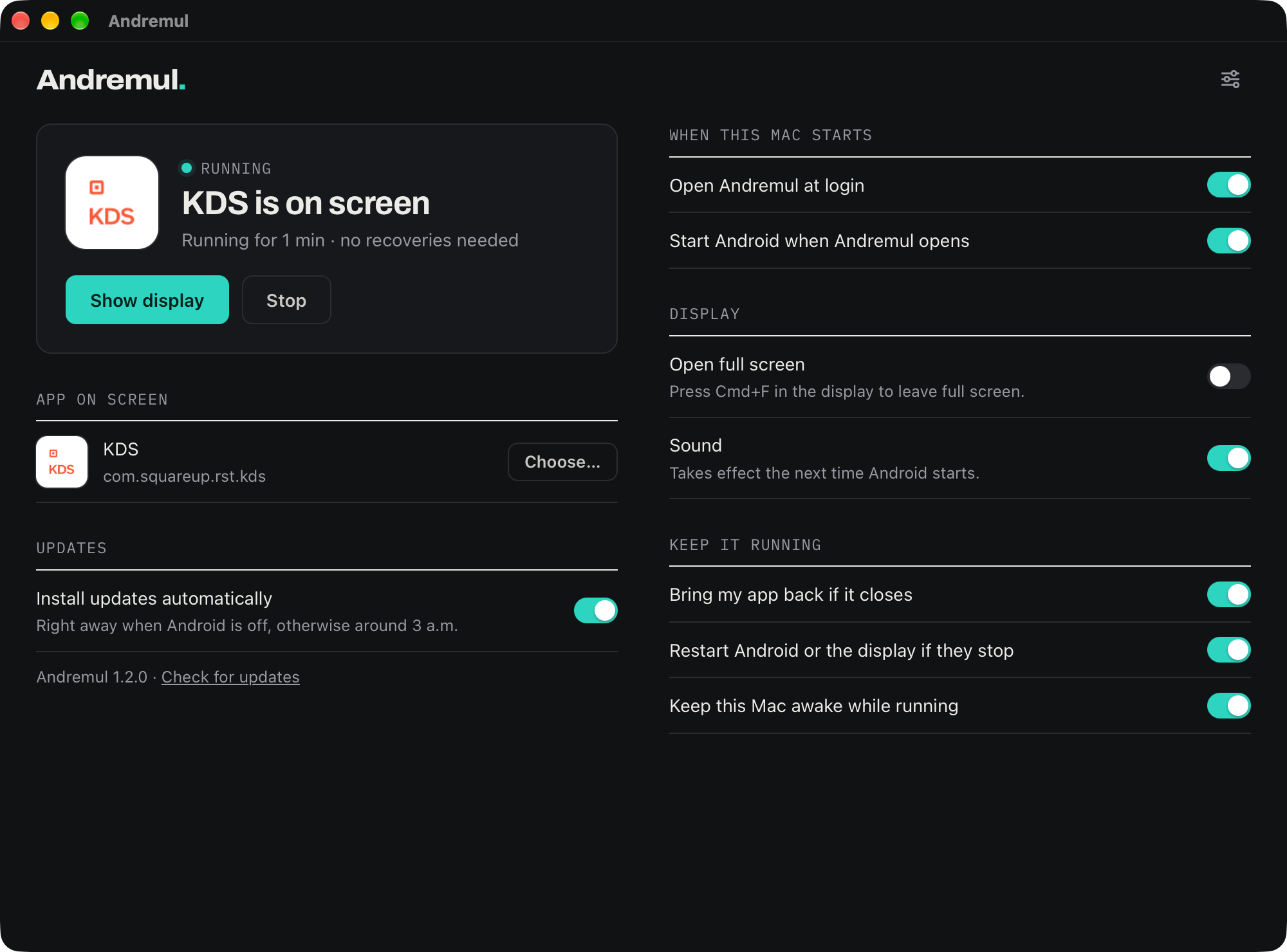
At Vines & Rushes, our kitchen display app only runs on Android. The managers' desk already had a Mac and a good screen. Buying, mounting and charging a tablet just for one app felt silly, so we made the Mac run it.
Andremul is that tool, cleaned up: it starts with the Mac, puts the app on screen, and quietly fixes things when they go wrong, so nobody has to.
Ryan Prellwitz, Vines & Rushes and Farspeak Labs
Set up once. It's there every morning.
Open Andremul
It downloads Android from Google (about 1.5 GB). You accept Google's license yourself, on the way.
Get your app
Sign in to Google Play on the Android screen and install the app your business uses.
Pick it and walk away
Choose it from the list. Turn on "Open Andremul at login" and the app comes up on its own after every restart.
Most of the work happens once. After that, the only thing people see is their app.
It keeps itself running, so you don't have to.
Comes back on its own
If the app closes, Android stops or the display window goes away, Andremul notices within about half a minute and brings it back. If an app keeps crashing, it backs off instead of fighting it.
Starts with the Mac
After a power cut or a restart, Andremul opens, starts Android and puts your app on screen. No one has to remember how.
Stays awake
While your app is up, the Mac and its display don't go to sleep. Turn it off and the Mac goes back to its usual settings.
Updates overnight
Updates are signed and install around 3 a.m., without restarting Android, so the screen doesn't go blank during service.
Will my app work?
Most business apps that run on an Android tablet should. A few kinds won't. Here's how to tell before you buy.
- It's on Google PlayAndremul includes Google Play, so you install your app the normal way.
- You have a Mac with Apple siliconM1 or later. Intel Macs aren't supported.
- It needs a card reader, receipt printer or other paired hardwarePeripherals aren't supported.
- It only runs on certified phones and tabletsSome banking and payment apps check for a certified device and refuse to run anywhere else.
Pricing
-
AndremulOne app on screen, kept running, on up to 3 Macs$39Buy
Prices in US dollars; sales tax or VAT is added at checkout where it applies. If the app you need doesn't run on Andremul, email us within 14 days of purchase for a full refund. Major new versions are optional paid upgrades; the version you bought keeps working.
Questions
Is this an emulator?
Under the hood, yes: Andremul runs Google's official Android emulator, the same one app developers use. What Andremul adds is everything around it: setting it up for you, putting one app on screen, starting with the Mac and recovering when something stops.
What gets downloaded, and from where?
Android, its tools and the Java runtime they need, about 1.5 GB in total, straight from Google and from Eclipse Adoptium. Andremul doesn't host or change any of it, and you accept Google's license yourself during setup.
Do I need a Google account?
Only to install apps from Google Play, the same as on a tablet.
Can I play games on it?
It isn't built for games. Andremul is tuned for keeping one business app up all day. For games, BlueStacks and similar apps are a better fit.
Is there a Windows version?
Not yet. Email support@farspeaklabs.com and we'll tell you if one ships.
Is Andremul made by Google?
No. Andremul is made by Farspeak Labs and isn't affiliated with or endorsed by Google.